

Story
A fresh, modern dating app for US market with 20K users, where you can chat, meet new people, and build real connections.
Duration:
Dec 2022 - 2023
Team Members:

My contributions
Research & Insights
Many dating apps struggle with low-quality matches and ghosting. Users often sign up but don’t actively chat, leading to frustration and churn.
A common challenge for dating apps is achieving a balanced, engaging user base. The marketplace faces unique problems: it’s essential to attract and retain active female users while ensuring they feel safe, respected, and in control. If the female user base is too small or inactive, male users may become frustrated, leading to a cycle of churn and low-quality interactions. Solving this imbalance requires thoughtful design and trust-building features that encourage women to join, stay, and interact confidently.
Our Hypothesis
Key Contribution
Outcome
Challenges
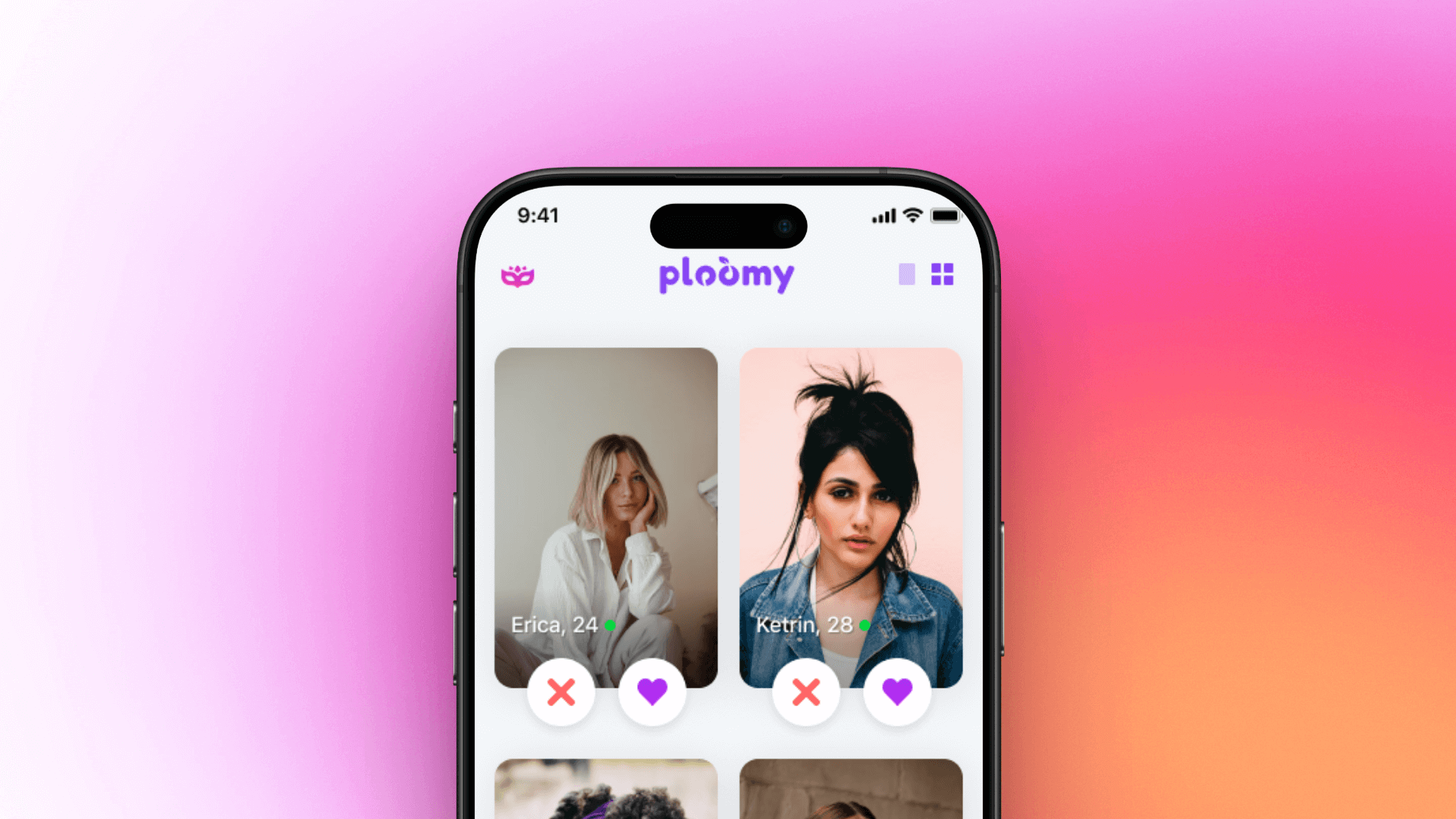
Design System & UI Kit
I created a custom design system for Ploomy using the iOS native design guidelines as the foundation.
As the main Design System, I used my self-created iOS 16 Open Source Library from the Figma Community.
Interface
Sign up flow
I created a step-by-step onboarding that breaks sign-up into 5 simple screens: account creation, identity, profile details, intent, and photo upload. This flow balances ease of use with clear guidance, builds trust from the start. Early tests showed this reduced user confusion and improved profile quality, put down a stronger foundation for meaningful matches.
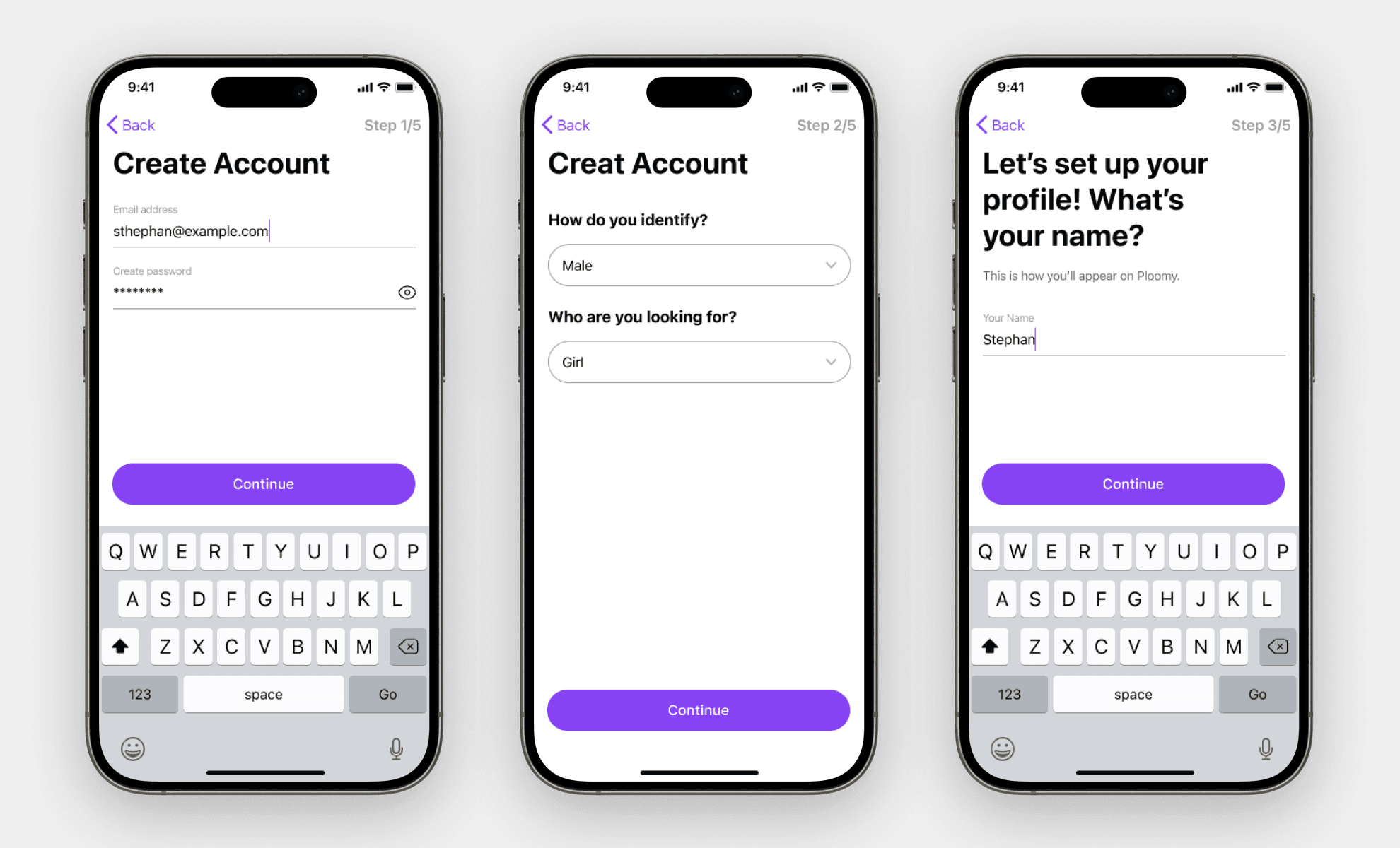
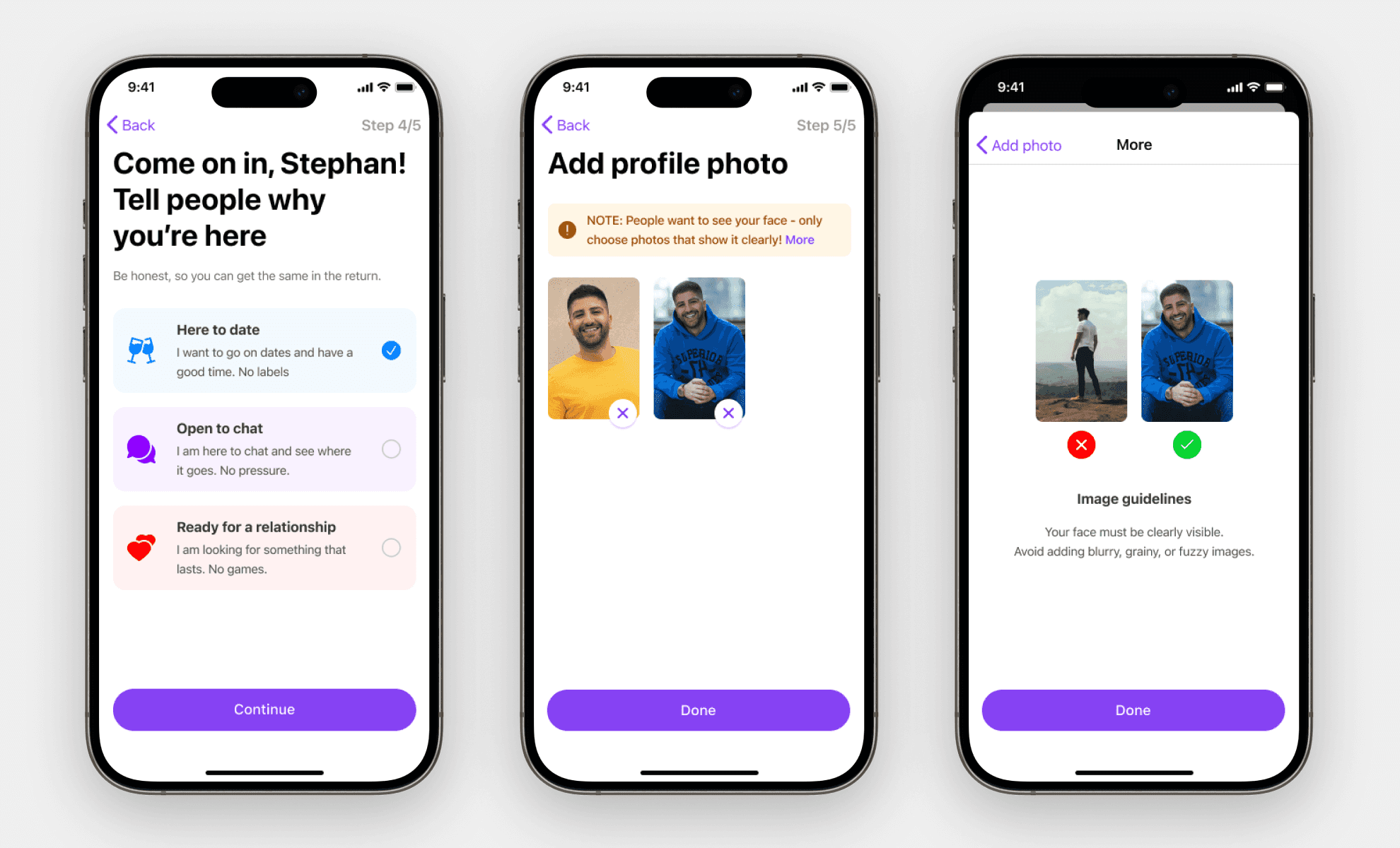
Sign up flow steps
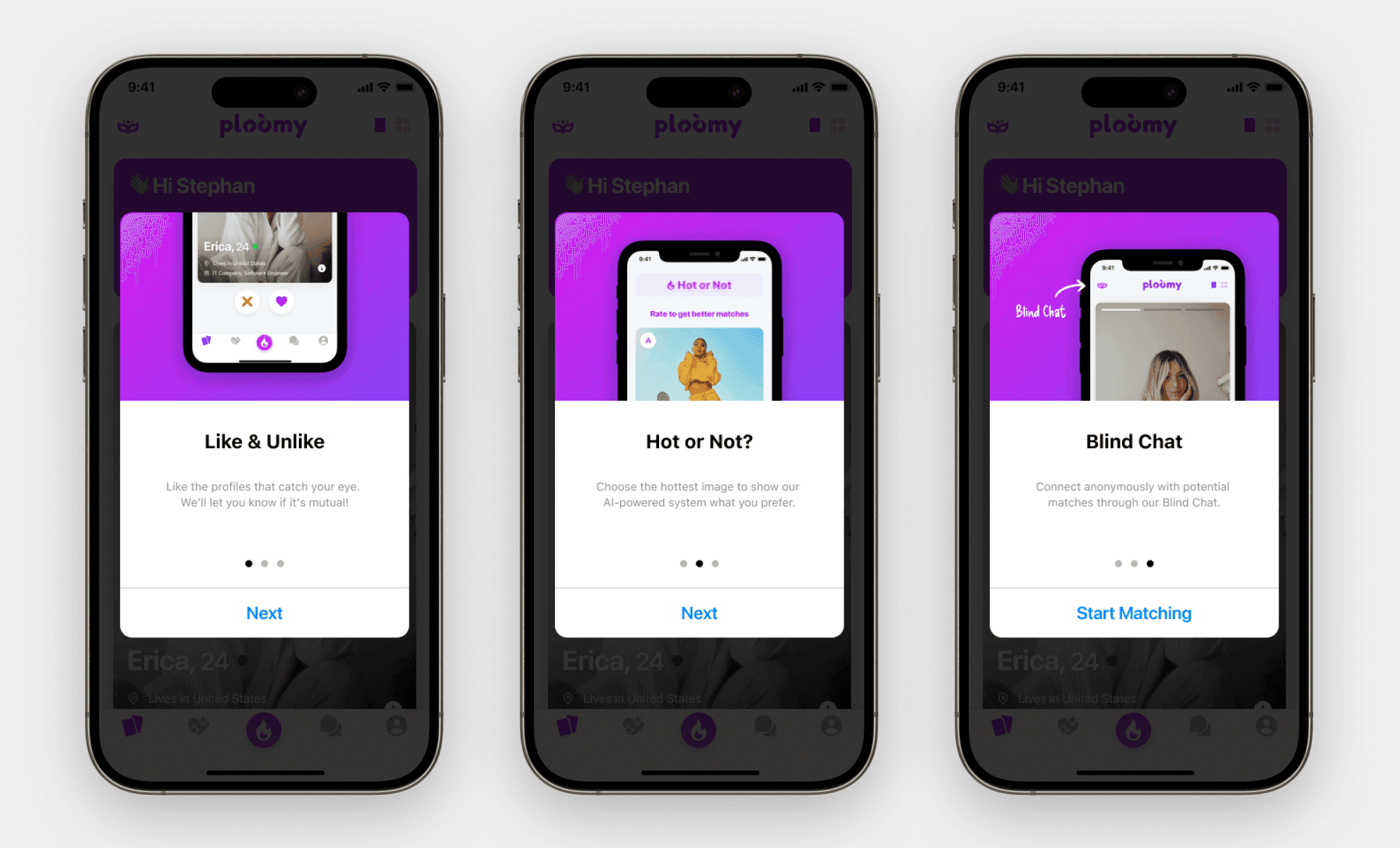
Onboarding and profile complete screens
Matching Experience
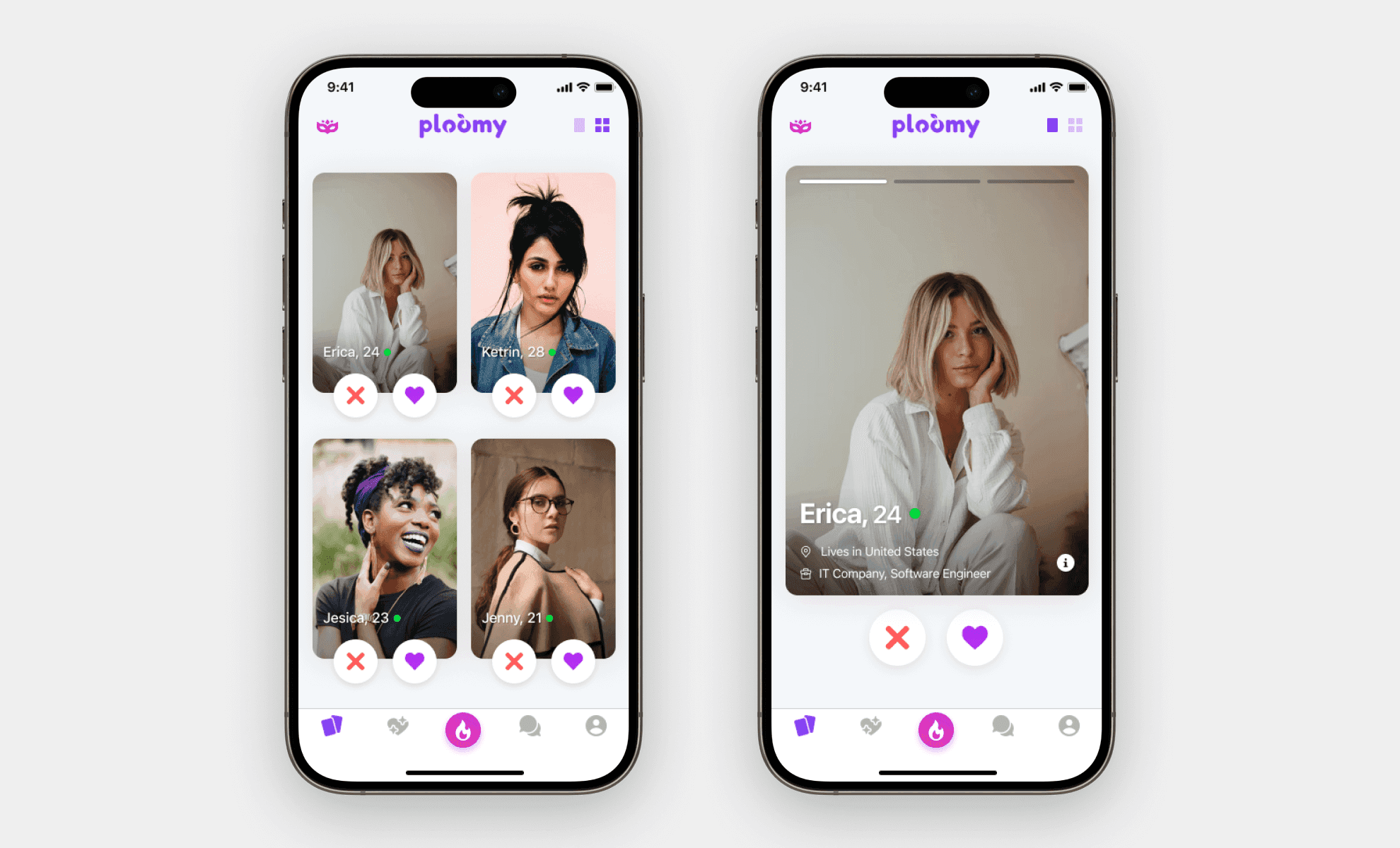
To make the engaging matching process, I designed two different ways for users to discover profiles "Grid" and "One Card" view. The "Grid" view gives users more choice and freedom to explore multiple matches at once, while the "One Card" view keeps the swipe interaction people expect in dating apps.
Matching experience screen design
Matches screen
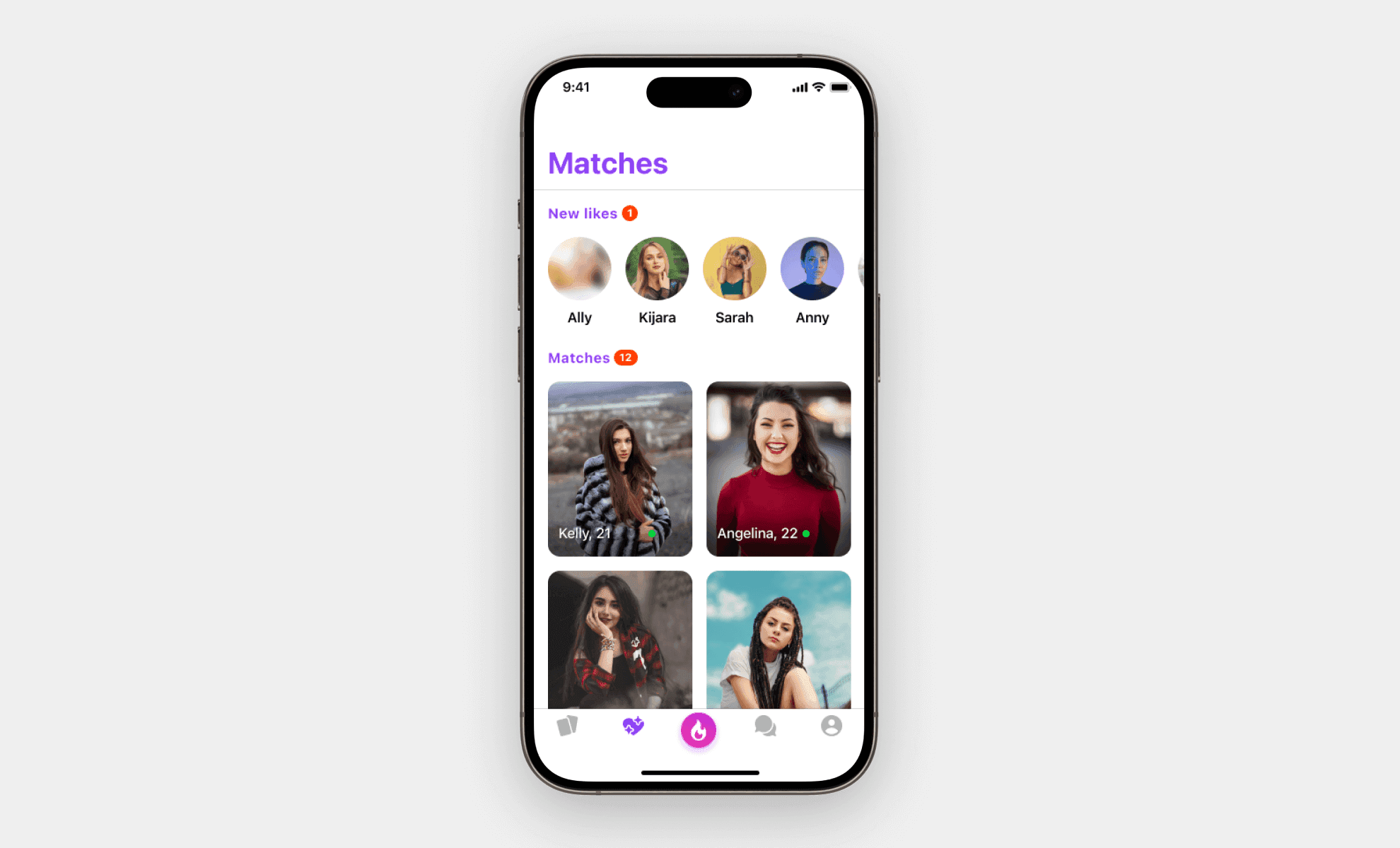
I designed the Matches screen using best practices from successful dating apps to keep users engaged and motivated. The top "New Likes" section with profile bubbles builds anticipation, while the clean grid view of matches makes it easy to see and manage ongoing connections.
This balance of excitement and clarity encourages users to keep chatting and builds trust in the platform, and all within our iOS-native design system.
Matching
Hot or Not
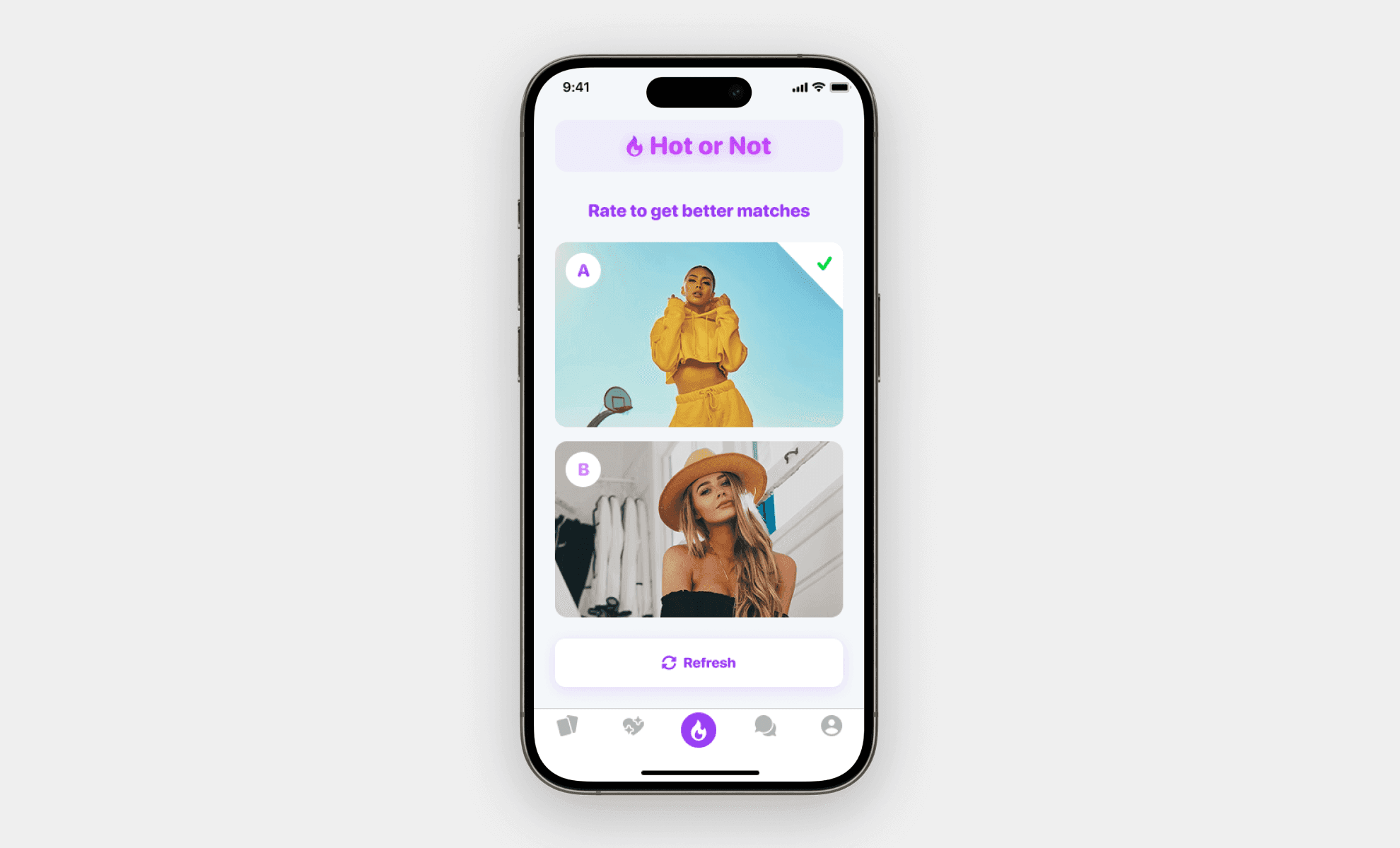
To improve the quality of user matches, I designed an interactive “Hot or Not” feature that feels like a game while training the algorithm in the background. Users are shown two profile images and asked to select the one they prefer, helping us better understand their visual and style preferences.
Once a selection is made, the screen refreshes automatically with two new profiles. Users can also manually refresh if neither option feels right. This lightweight interaction keeps users engaged, adds fun to the experience, and continuously improves future match suggestions.
We had implemented the tracking on all images to understand our users decisions.
Hot or Not
Blind Chat
To increase chat engagement and keep retention, we introduced and tested a new feature called "Blind Chat", an anonymous 1-on-1 messaging experience designed to lower pressure and spark genuine curiosity.
Users can enter a blind conversation once per day, without seeing the other person’s profile. They can freely chat, and at any time choose to “Match” or “Unmatch.” If both users match, their profiles are revealed and the conversation moves to the regular messages tab. If not, the chat disappears after 24 hours.
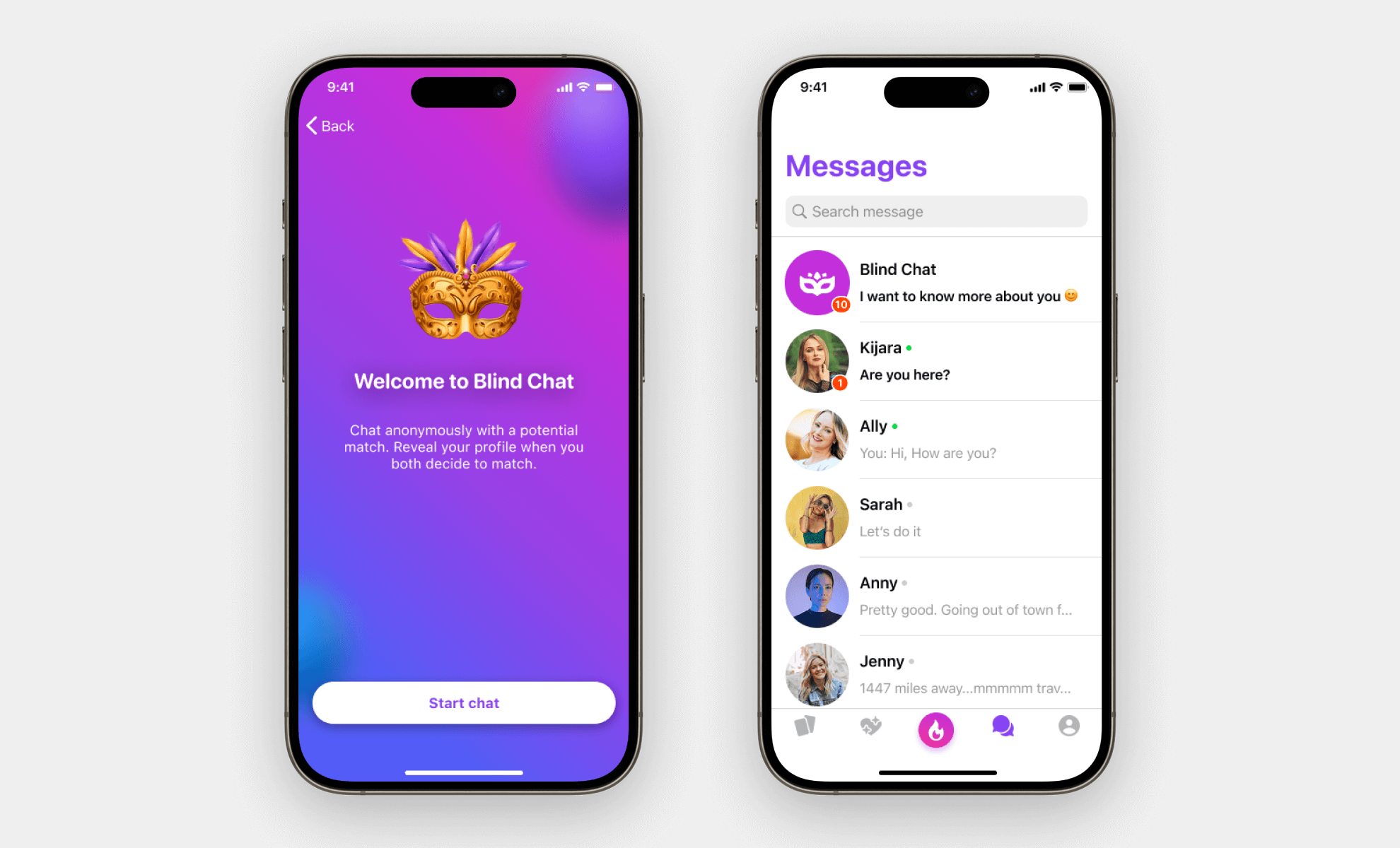
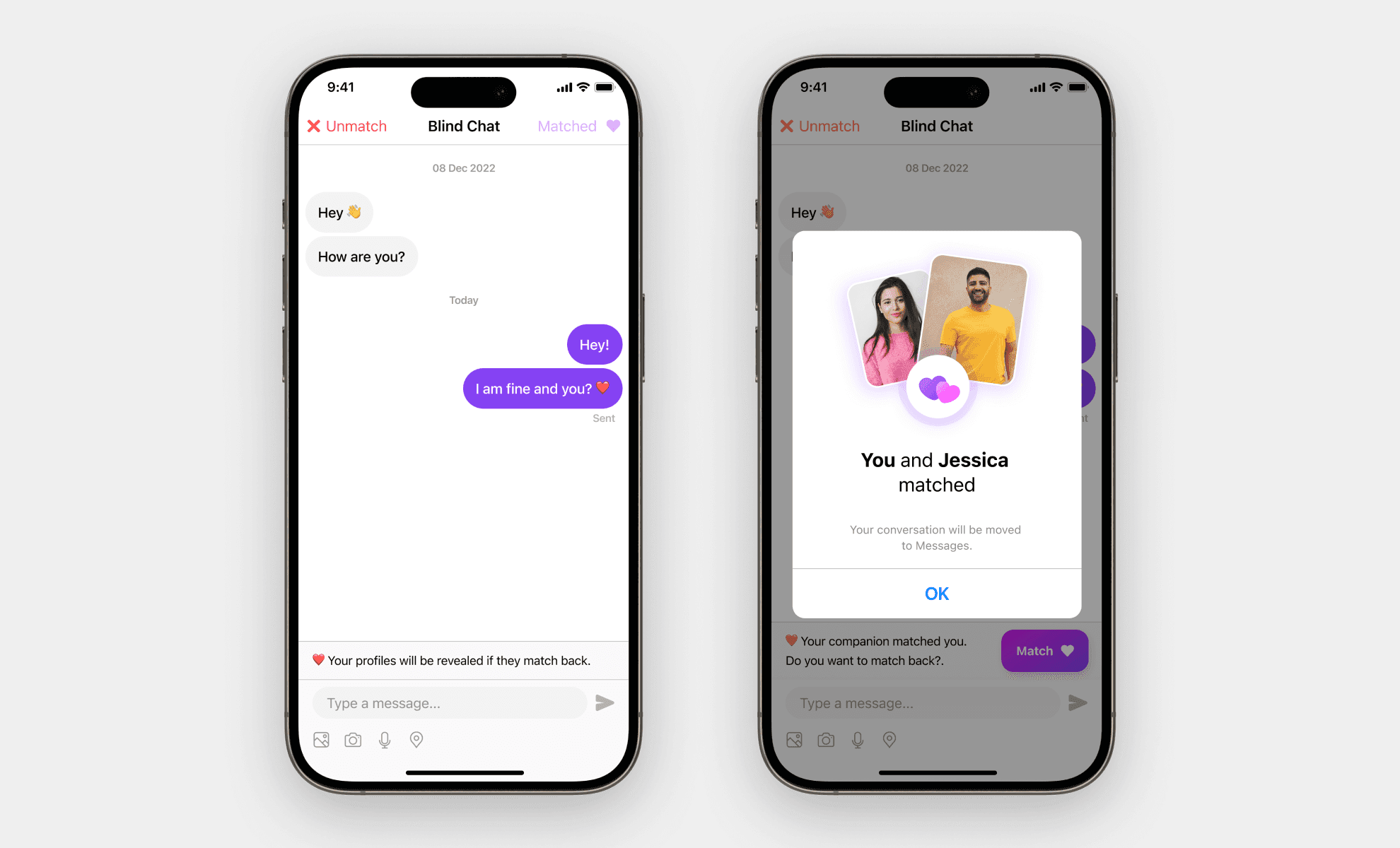
Blind Chat
Security
To build trust and create a safer dating environment, we prioritized user safety by giving people full control over their interactions. I designed an action menu that allows users to report, block, or unmatch anyone at any time, directly from their profile.
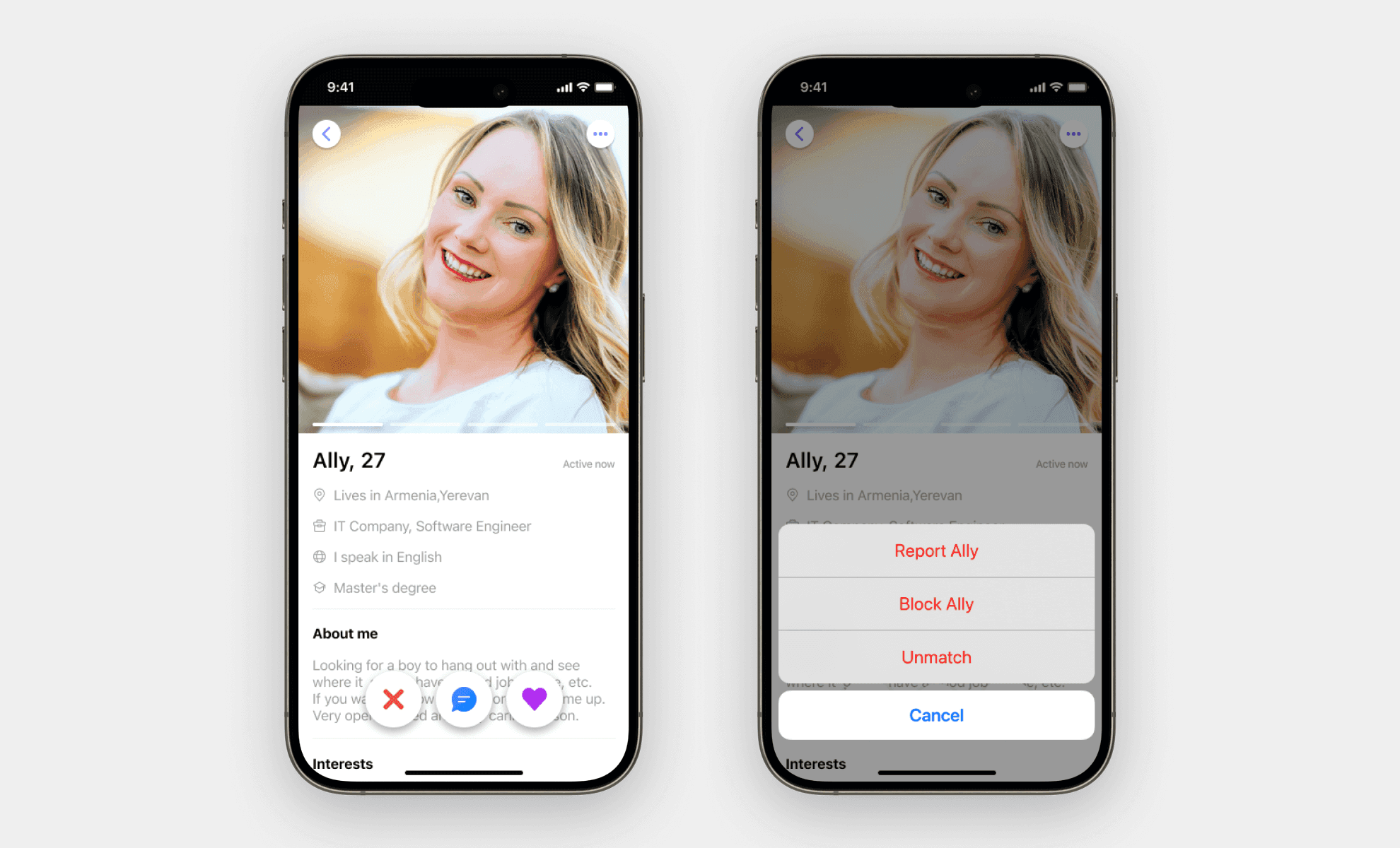
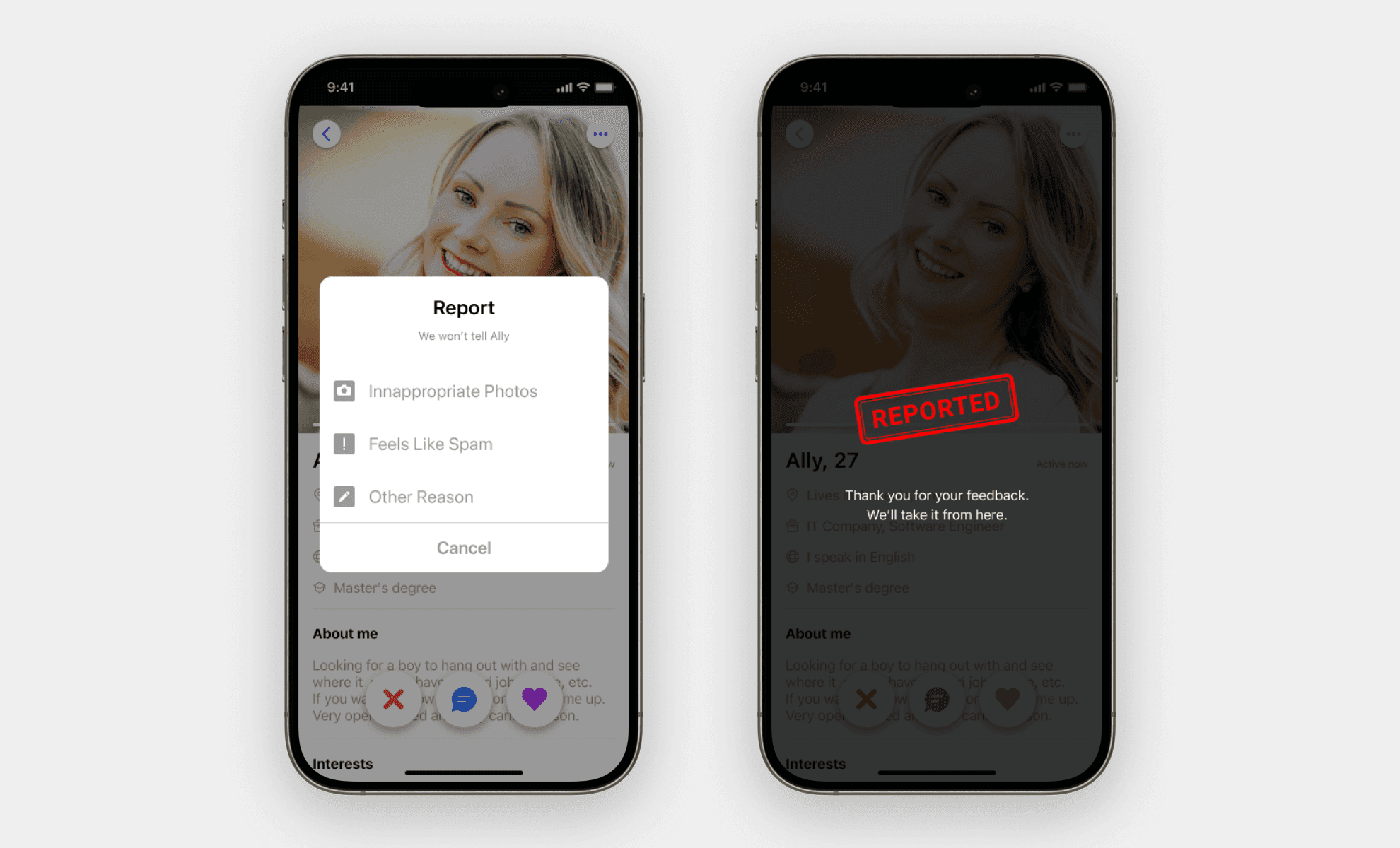
Security
Profile
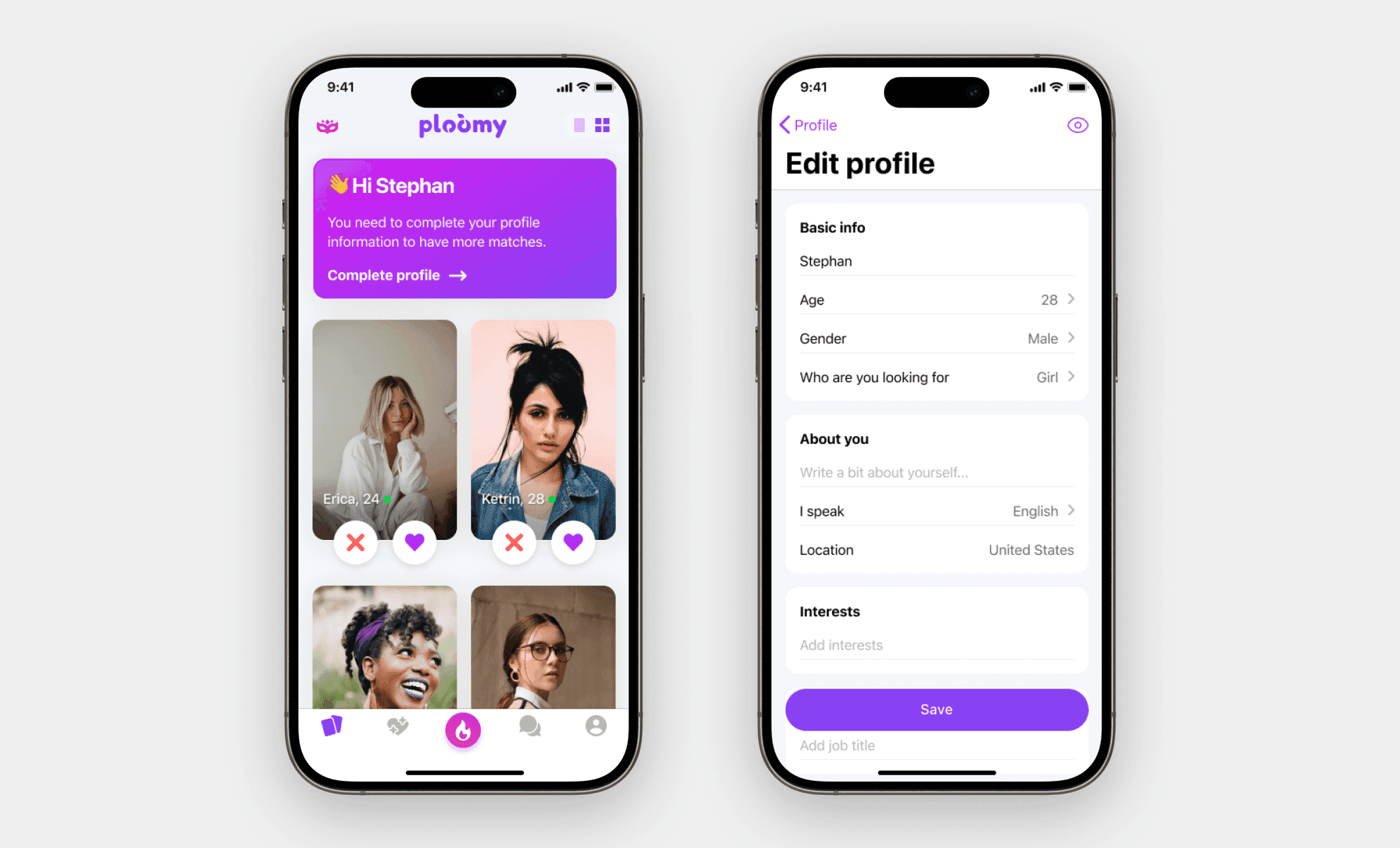
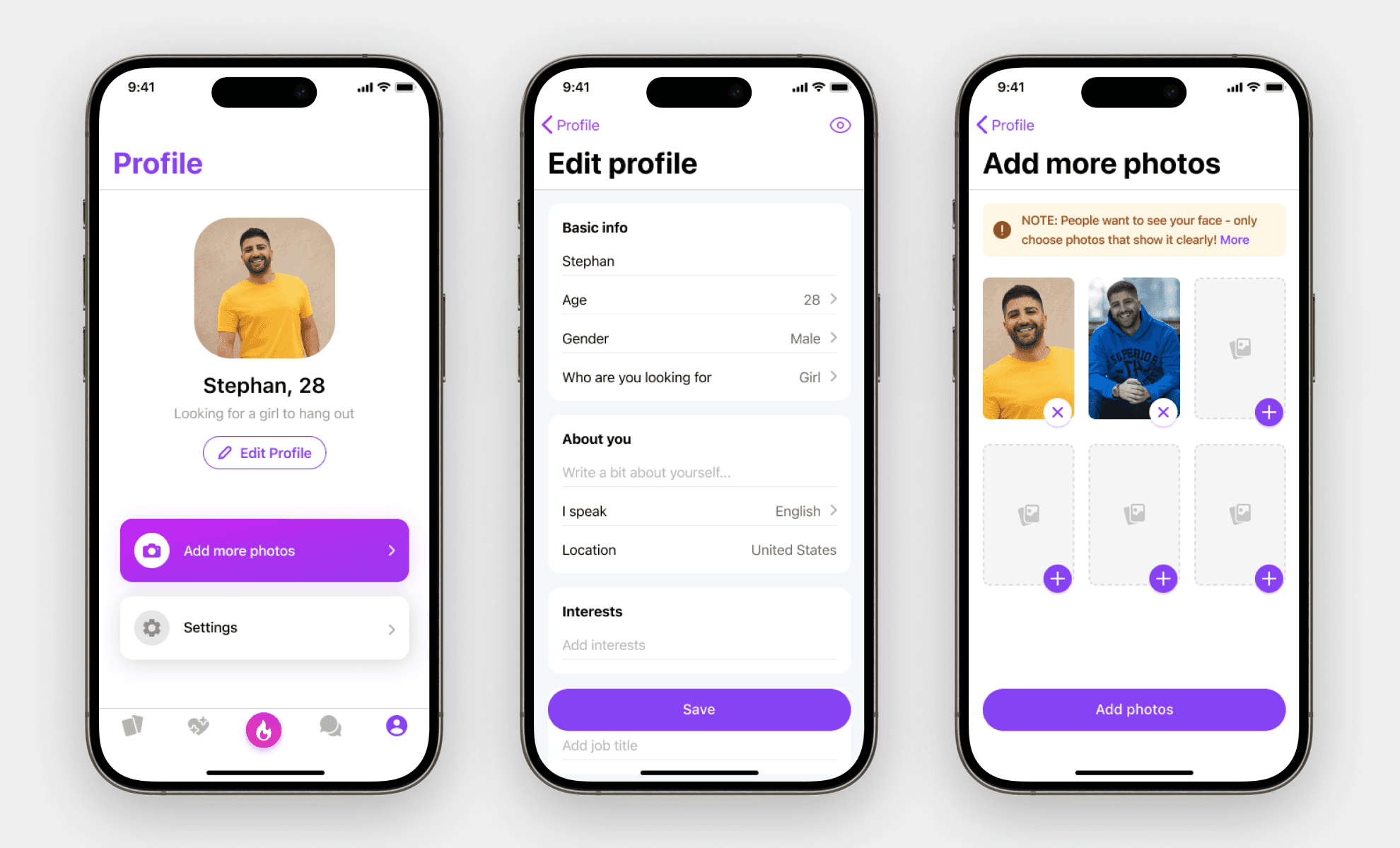
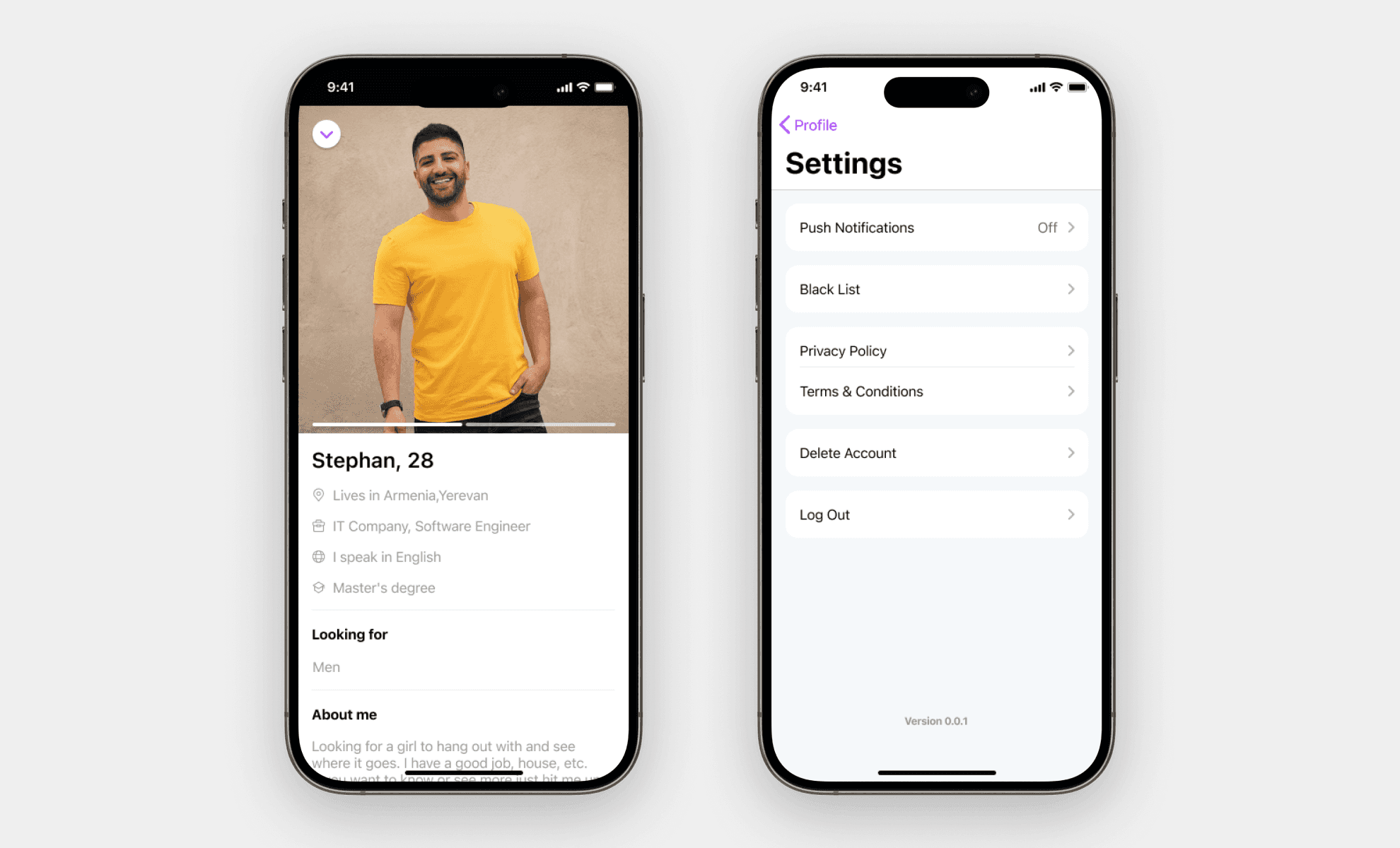
To give users full control over their identity and visibility, I designed a complete profile management system built on simplicity, clarity, and trust. The profile dashboard allows users to easily update their personal details, add more photos, and access key account settings.
Settings
Testing Insights
Key understandings
Designing with simplicity, control, and safety at the core led to higher engagement and trust. By introducing features like Grid view, Blind Chat, Hot or Not we improved match quality and user retention. Prioritizing women’s experience helped us address marketplace imbalance and build a more trustworthy dating environment.